For Mac

Crashed before you saved?
Recap already has it.

Recap quietly remembers what you typed, even when you never got the chance to save or copy it. Double-tap ⌥ and it's right where you left off.

macOS 14+ Runs entirely on your Mac Never reads your passwords
Recap
⌥⌥ Mon 9:41 AM
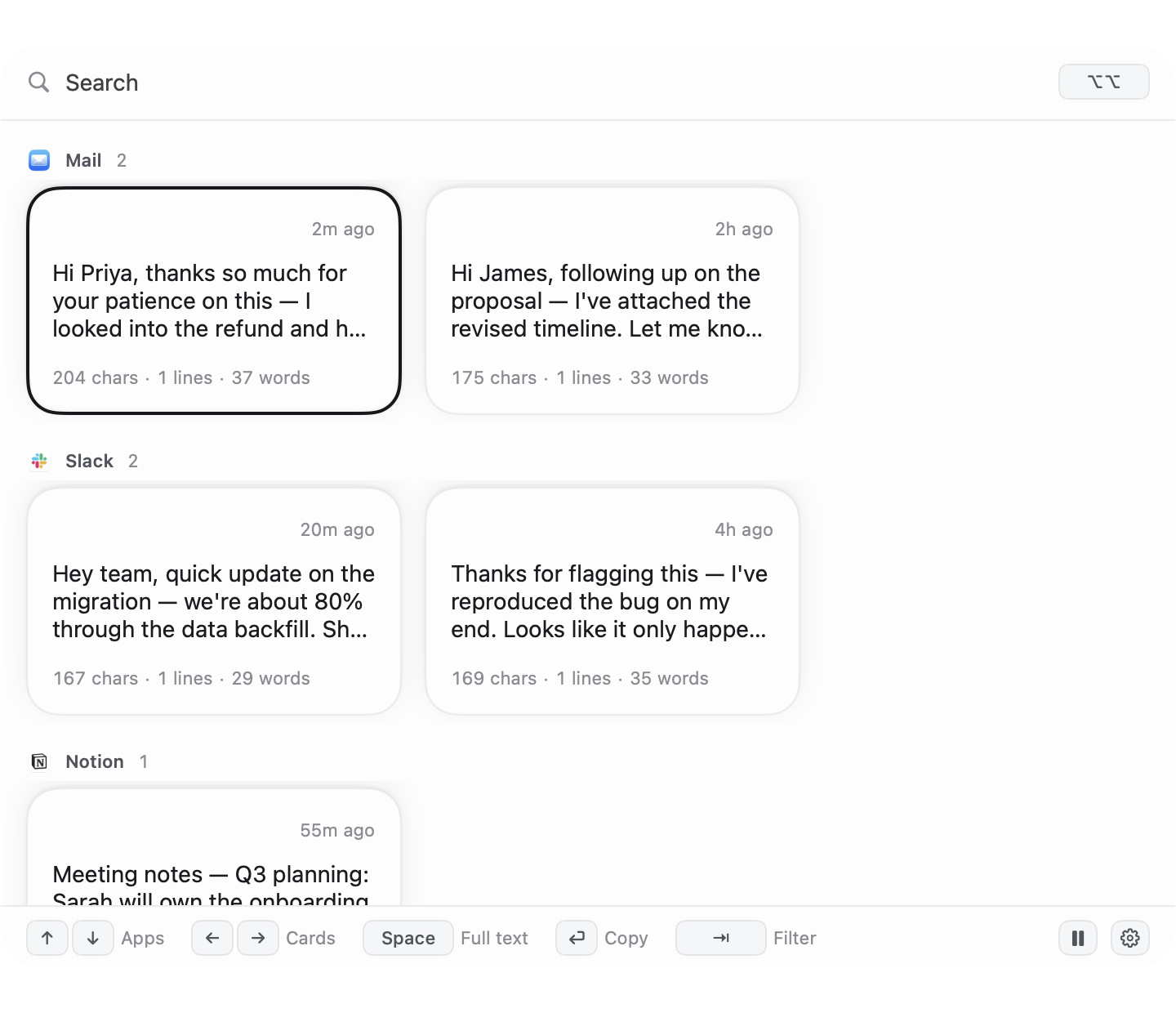
Recap recall popup showing recovered drafts from Mail, Slack, and Notion
Recovered from Mail
Recovered from Slack
Recovered from Notion

The 15 minutes you don't get back

You're on the twelfth minute of a reply that's finally starting to sound right. Then the tab crashes. Or you fat-finger ⌘W. Or Slack just... closes, for no reason anyone can explain.

You never hit ⌘C — why would you, you were about to send it. So your clipboard manager has nothing. Paste has nothing. Maccy has nothing. They only remember what you copied, and you didn't copy anything.

Recap remembers what you typed, not what you copied. That's the whole trick — and it's the one thing every clipboard tool on your Mac quietly doesn't do.

This happens to people who write for a living about once a week. At 15–20 minutes of retyping each time, it adds up to an afternoon a month, gone.

Reply to Priya — draft
Hi Priya, thanks so much for your patience on this — I looked into the refund and here's exactly what happened on our end...
⚠ Tab crashed. Everything above is gone from the page.
✓ Recap still has it. Double-tap ⌥ to bring it back.
Three steps. No setup, no ritual.

You don't do anything differently. That's the point — Recap works while you forget it's there.

1

Type — anywhere

An email, a Notion doc, a Slack message. Recap quietly backs up what you're writing in the background, as you write it.

2

It's held for you

Free keeps your last 3 rescues. Pro keeps everything. Either way, it never leaves your Mac.

3

Double-tap ⌥

Recap opens with what you lost. Find it, grab it, paste it back where it was. Keep going.

The parts that do the work

No dashboards to learn. Just the pieces that keep your writing safe and easy to find.

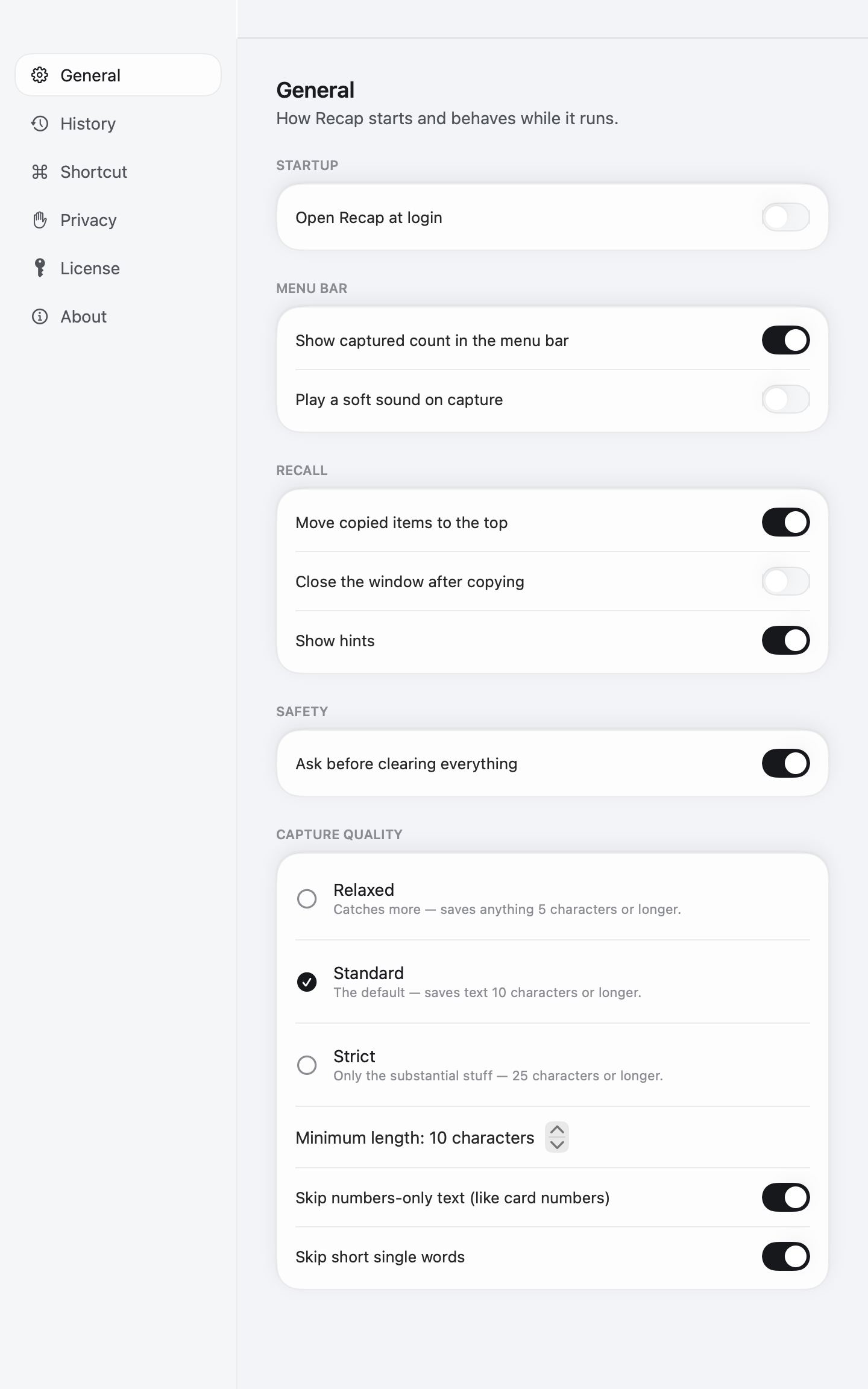
Recap Capture Quality settings — Relaxed, Standard, Strict

Quality gate

Three levels — Relaxed, Standard, Strict — decide what's worth keeping. Numbers-only text and short words get skipped automatically.

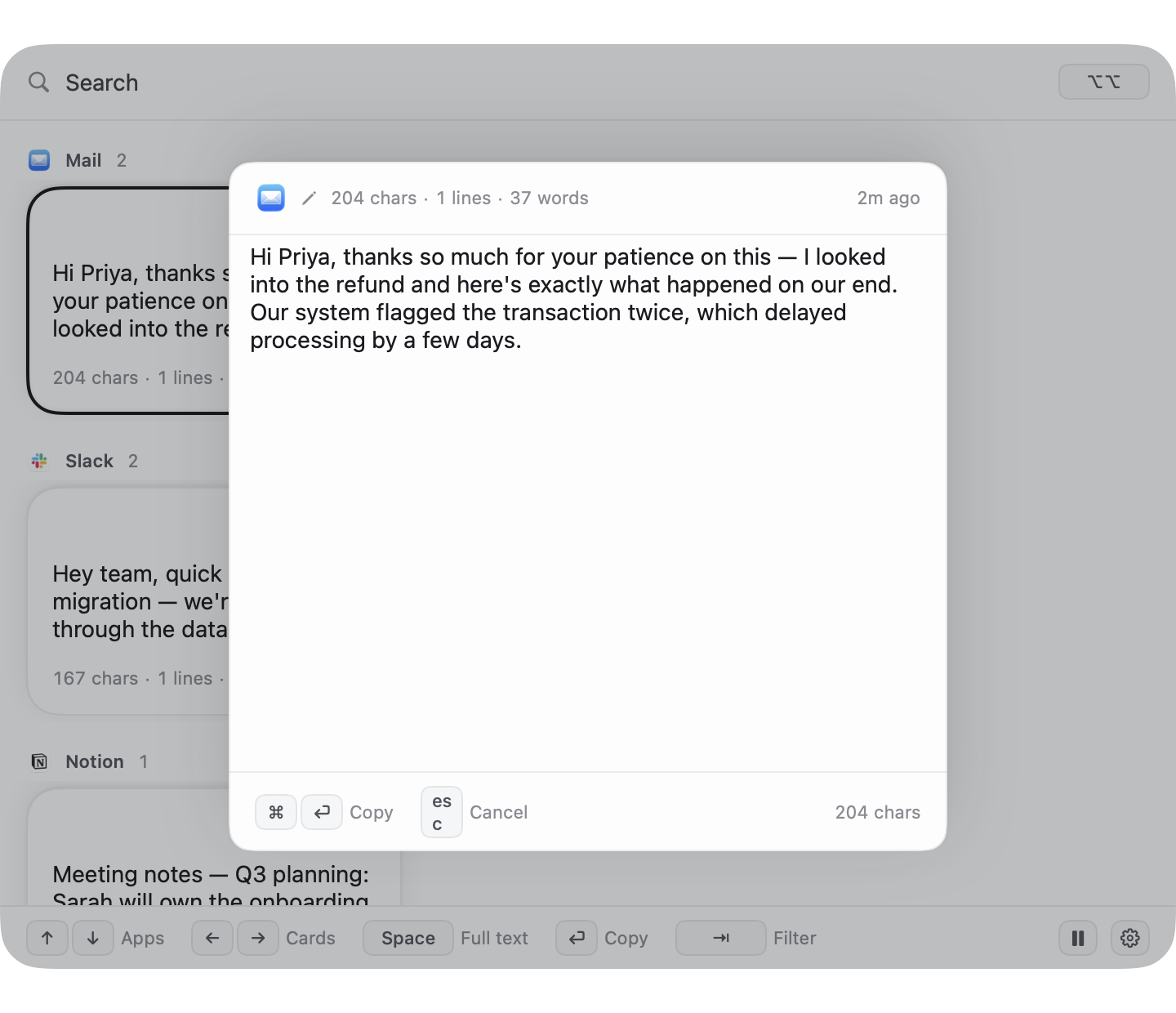
Recap full-text quick edit view with one-key copy

Full-text quick edit

Any snippet expands to its complete text. One key copies it — no squinting at a cramped card.

Search anything

Typos don't matter. Use a pattern when you need to. Find it in seconds, not by scrolling.

One-click exclude

Banking sites, password managers — exclude any app or site instantly. Nothing from them is ever captured.

?

Hints, your way

Recall shows on-screen hints for every shortcut. Turn them off once you've memorized them.

100% on-device

No cloud, no sync, no account. Everything lives in a local database only your Mac can read.

It never reads your passwords.
Nothing leaves your Mac.

This isn't a setting you have to find and turn on. It's how Recap is built.

Passwords are never read

Password fields are detected and skipped before Recap ever looks at them — not redacted afterward, never captured in the first place.

Everything stays on this Mac

No cloud, no sync server, no account to create. If your Mac is off, there's nothing anywhere else to breach or subpoena.

You control what's excluded

Pause Recap anytime, or exclude specific apps and sites — banking, password managers — with one click.

Free covers the emergency. Pro covers everything.

One-time purchase. No subscription, no renewal surprise.

Clipboard tools like Paste run 90 a year if you go lifetime — more if you don't. Recap is a single payment, once.

Free

The safety net. No catch.

0

Forever. No trial, no expiry.

  • Full recall, same core magic
  • Keeps your last 3 rescues
  • Passwords never read — always, for everyone
  • Basic search, pause anytime
  • 1 excluded app
Download free

Pro

For everything beyond your last 3.

1980 one-time

One payment. No trial needed — Free already shows you how it works.

  • Unlimited history — keep everything, not just your last 3
  • Fuzzy + regex search, typos and all
  • Unlimited excluded apps & sites
  • Pin snippets that never expire
  • Use it on every Mac you own
Unlock Pro

Not right for you? Just ask — refunds are no drama.

Before you ask

Does Recap read my passwords?+

No. Password fields are detected and skipped before Recap ever captures anything — this isn't a setting, it's how it's built, and it applies on Free too.

What Mac do I need?+

macOS 14 (Sonoma) or later, Apple Silicon or Intel.

Where does my data actually live?+

On your Mac, in a local database. Nothing is uploaded, synced, or sent to a server — there isn't one. Recap works fine on a plane with no wifi.

If I don't buy Pro, do I lose everything?+

No. Free keeps working forever — it just holds your last 3 rescues instead of your full history. Nothing gets deleted or locked away.

Can I get a refund?+

Yes. If Recap isn't for you, reach out and we'll sort it out — no interrogation.

Stop losing what you typed.

Free to start. Takes less than a minute to install.

Download free ↓